
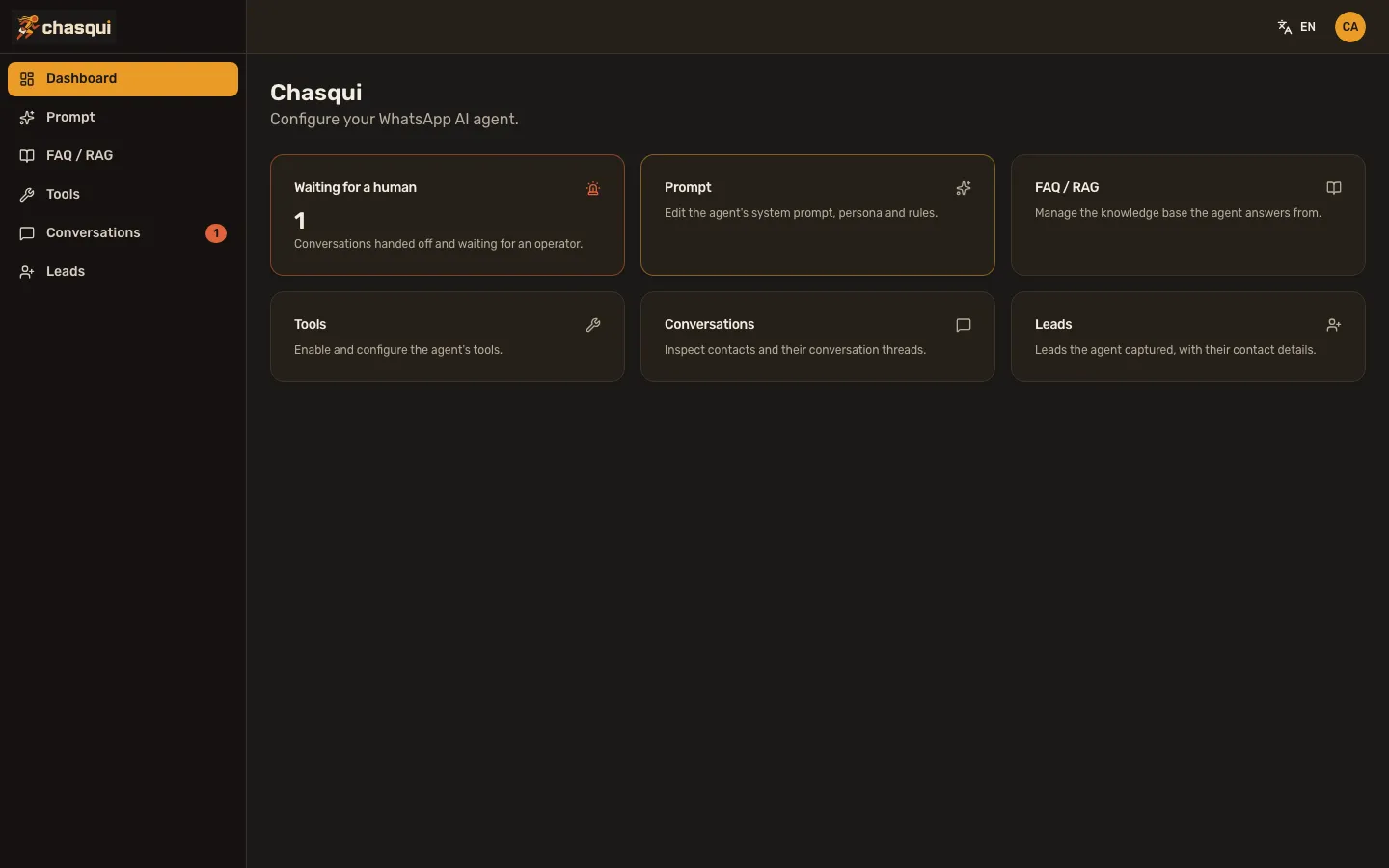
Chasqui is an open-source, self-hosted stack for custom AI chat agents: conversation engine, memory, RAG, human handoff and a pluggable tool system — wired and ready, so your energy goes into your agent's logic. WhatsApp, Telegram and a web chat widget today, more channels on the roadmap.
uvx chasqui new my-agent Apache-2.0 · beta · one command scaffolds and provisions the whole stack
The plumbing decisions are made — Postgres + pgvector, one canonical message contract, conventions over configuration. You build what makes your agent different.
A LangGraph orchestrator keeps one continuous thread per contact — context, silence handling and delivery errors are already solved.
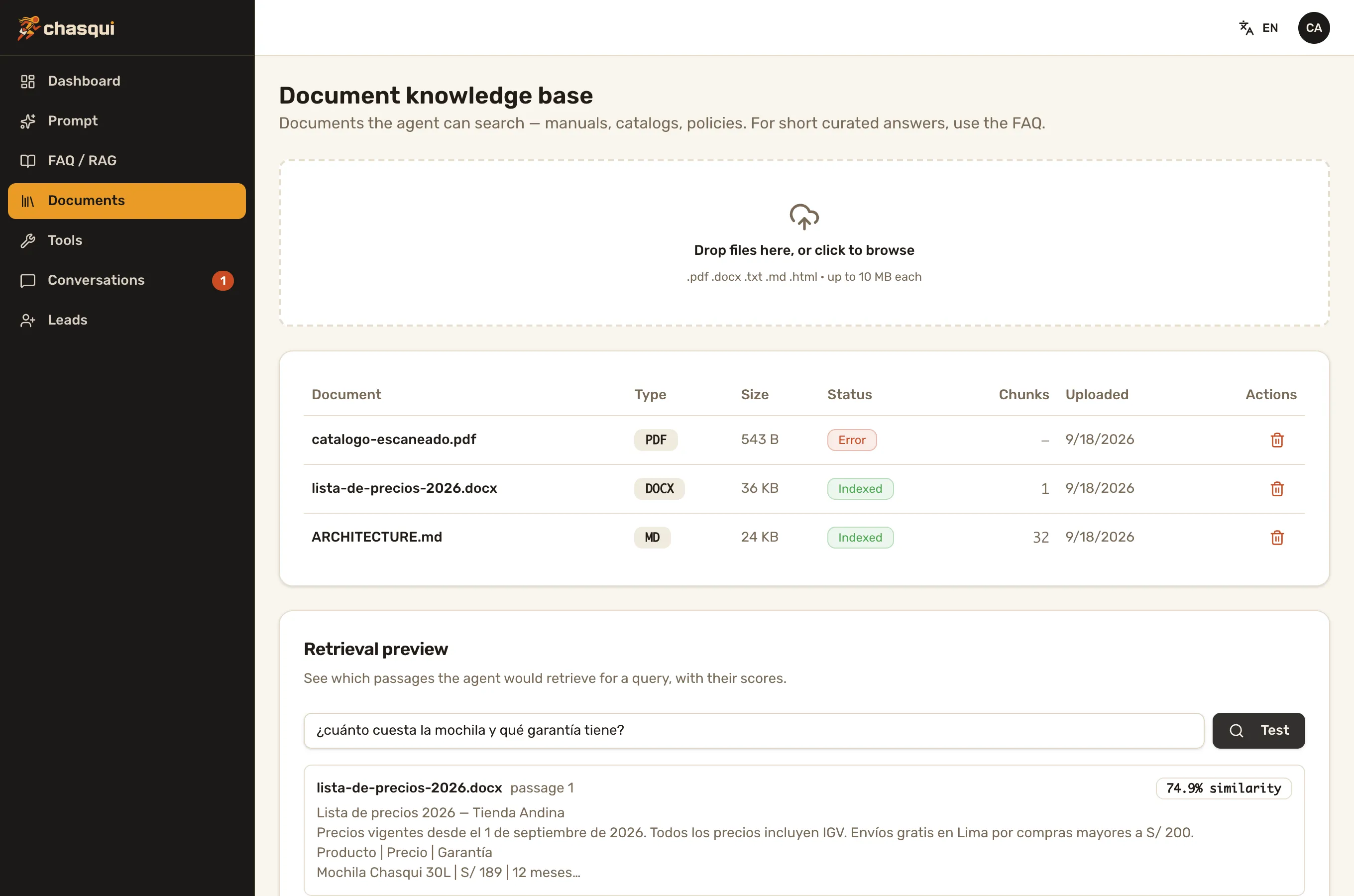
Long-term memory, a curated FAQ and a document knowledge base — upload PDFs, Word files or Markdown — on Postgres + pgvector. Answers come from your content, not hallucinations.
Images, documents and voice notes — understood on the way in, sent on the way out.
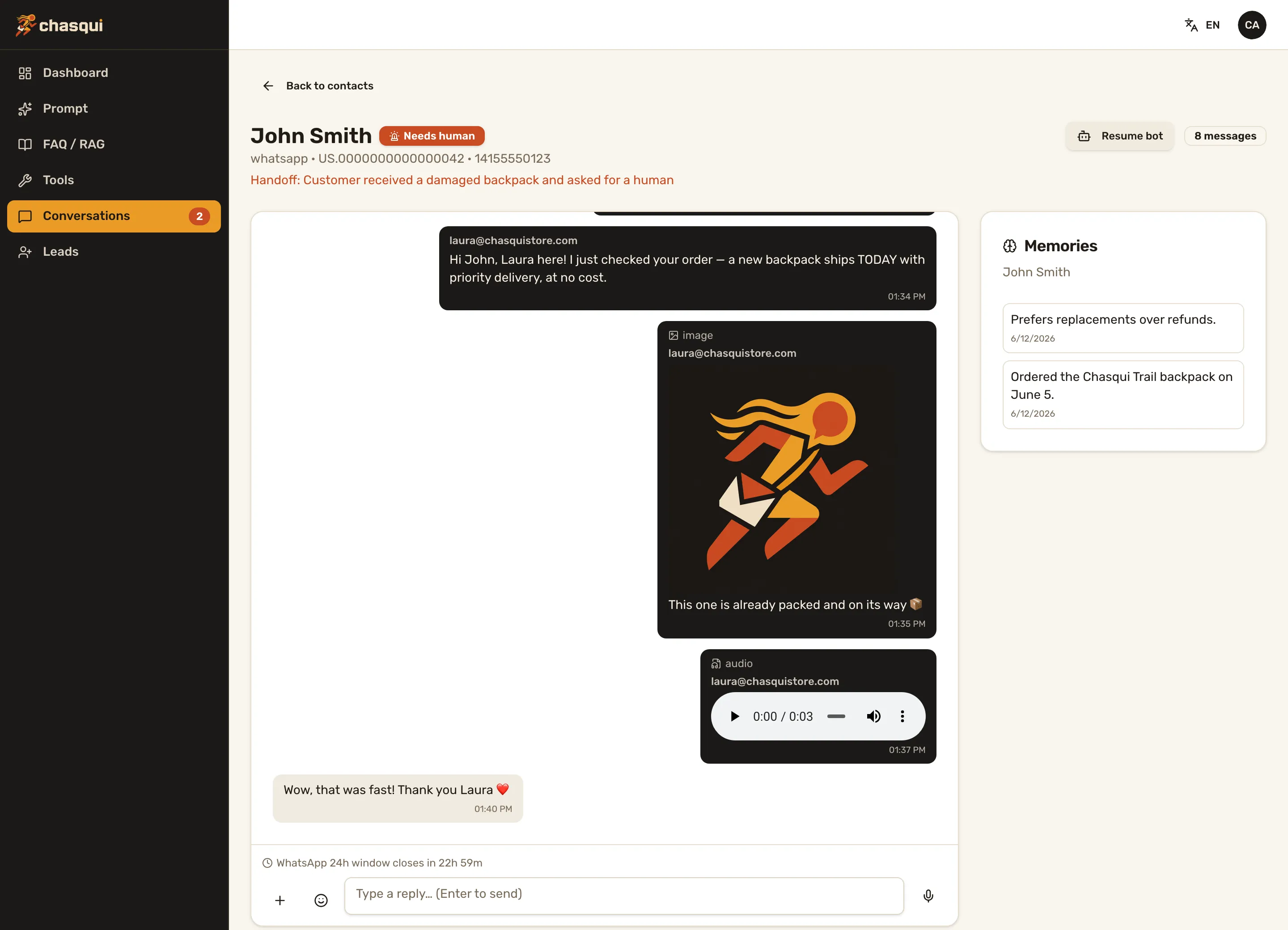
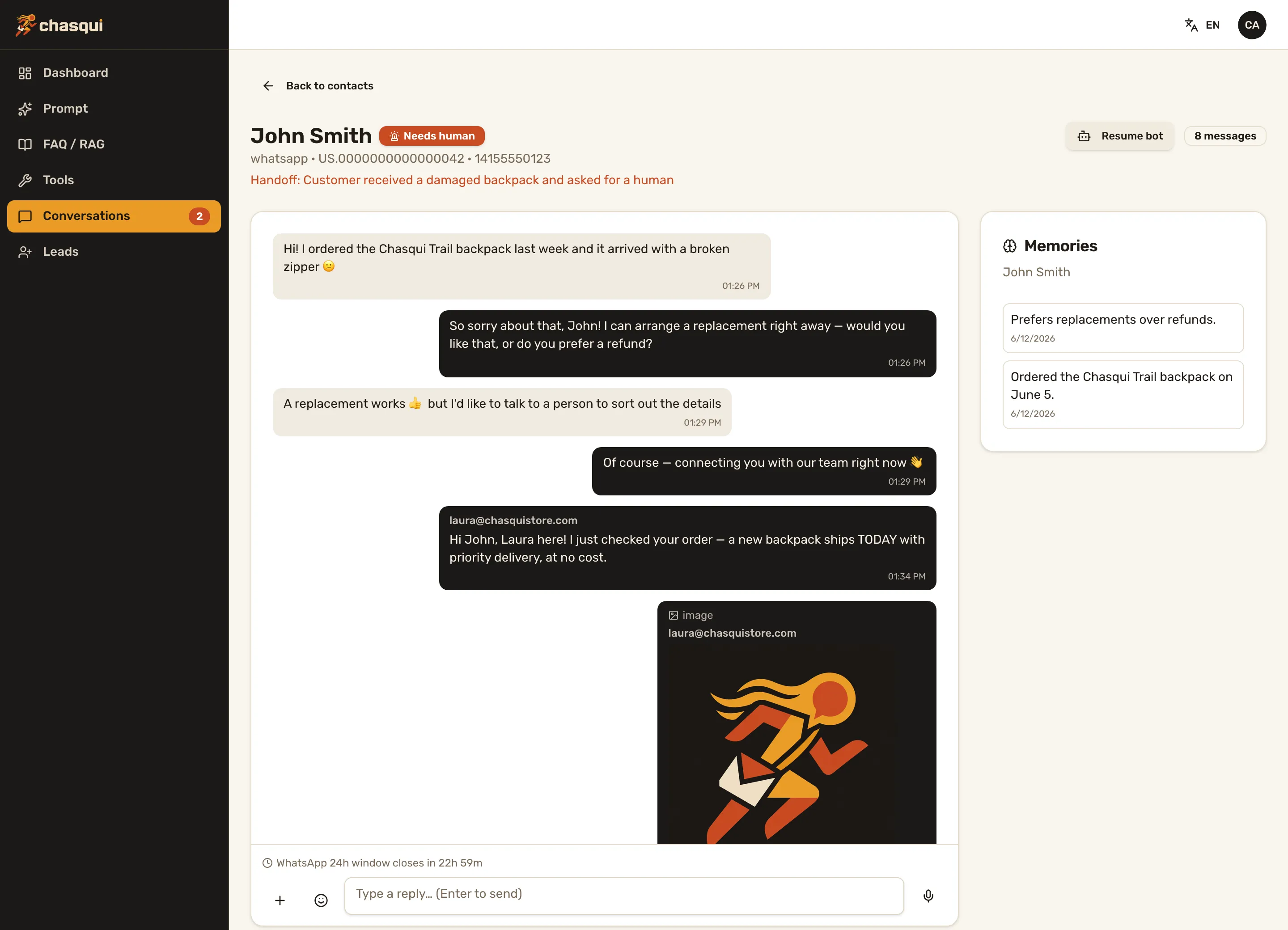
The agent detects when a person is needed; operators take over and reply from the panel, media included.
Self-contained packages the core auto-discovers: tools, tables, routes and config forms the panel renders for free.
Gemini, Claude, GPT, OpenRouter or local Ollama. Change provider and the next message uses it — no redeploy.
Channels are thin, stateless gateways that translate their platform to one canonical contract — two endpoints and you've added a channel. Handoff, media, silence and delivery errors are expressed once, inherited by every channel for free.
/ingest · /send Every non-obvious decision is written down as an ADR — read the architecture.
Nobody retypes a 20-page manual as FAQ entries. Upload the price list, the product manual, the policies — Chasqui extracts the text, chunks it, embeds it and the agent searches it on demand. No bucket, no queue, no new service: it works on every install.
Tuned against a real LLM, not by feel: in the routing eval every answer was grounded — 50 of 50. The design and its honest trade-offs are written down in ADR-013.
The newest channel ships its own client: an embeddable widget that puts your agent in front of anonymous site visitors — same memory, same tools, same handoff inbox. One script tag on any page and the amber bubble is live.
<script src="https://chat.your-domain.com/widget.js"
data-gateway="https://chat.your-domain.com"></script># web gateway .env (chasqui-stack/web)
PORT=8002 # where the gateway listens
CORE_URL=http://localhost:8090
INTERNAL_API_KEY=... # shared secret with the core — never in the browser
WEB_ALLOWED_ORIGINS=https://your-site.com # who may embed the widget
RATE_LIMIT_WINDOW_MS=60000 # public endpoint — rate limit per visitor/IP
RATE_LIMIT_MAX=30
HISTORY_LIMIT=50 # messages rehydrated when the widget reopens
ERROR_REPLY=... # gateway-local literals, fire when the
UNSUPPORTED_REPLY=... # core is unreachable
# core .env — deferred replies reach the browser over SSE
CHANNEL_WEB_SEND_URL=https://chat.your-domain.com/sendThe browser only ever talks to the gateway — the internal key stays server-side, and an origin allowlist plus per-visitor rate limits guard the public endpoint.
Already running a Chasqui project? uvx chasqui add channel web retrofits the widget in one command. Its own repo, its own gateway: chasqui-stack/web — the design is written down in ADR-011.
uvx chasqui new my-agentThe wizard asks: LLM, embeddings, Postgres, ports, WhatsApp credentials (skippable), language, first admin — then provisions deps, database and migrations.
cd core && make dev
cd whatsapp && make dev
cd admin && npm run dev
API, WhatsApp gateway and operator panel — each a one-liner.
docs/WHATSAPP-SETUP.mdA free Meta developer app is enough to start. Step-by-step guide included, ngrok webhook auto-registration in dev.
Prerequisites: uv, Node 22, PostgreSQL with pgvector (or the generated docker-compose).
The omakase conventions, packaged as installable Agent Skills. Your coding agent reads them on demand and knows how to scaffold, add a channel or build a module the Chasqui way — pointing to the canonical docs, never guessing.
npx skills add chasqui-stack/skills --skill '*' The router: philosophy, the three services and the canonical contract — then it points your agent to the right skill.
Scaffold and extend with the CLI: chasqui new, the wizard, chasqui add channel, chasqui generate module.
Add a new channel over the canonical contract, with the live Telegram gateway as the worked example.
Give the agent a new capability — a Tool Module bundling tools, tables and admin config.
Record a non-obvious decision the Chasqui way — a docs-as-code ADR in the same PR.
Ship and operate the stack on a server with Kamal 2 — core, gateway and admin, in order.
Works with Claude Code, Cursor, Codex, Gemini CLI and more — the open Agent Skills standard. Browse the skills.
Issues and ideas welcome — join in on GitHub.
We build custom agents on Chasqui and help teams get theirs running. Bugs and ideas go to GitHub issues — for everything else, talk to us: